7 Using Notifications
The page Notifications offers an overview of system messages about important events in OPENVAS REPORT. These can be success messages as well as warnings or error messages.
The notifications can be used for debugging purposes.
7.1 Viewing Notifications
All existing notifications can be displayed by selecting Notifications in the menu.
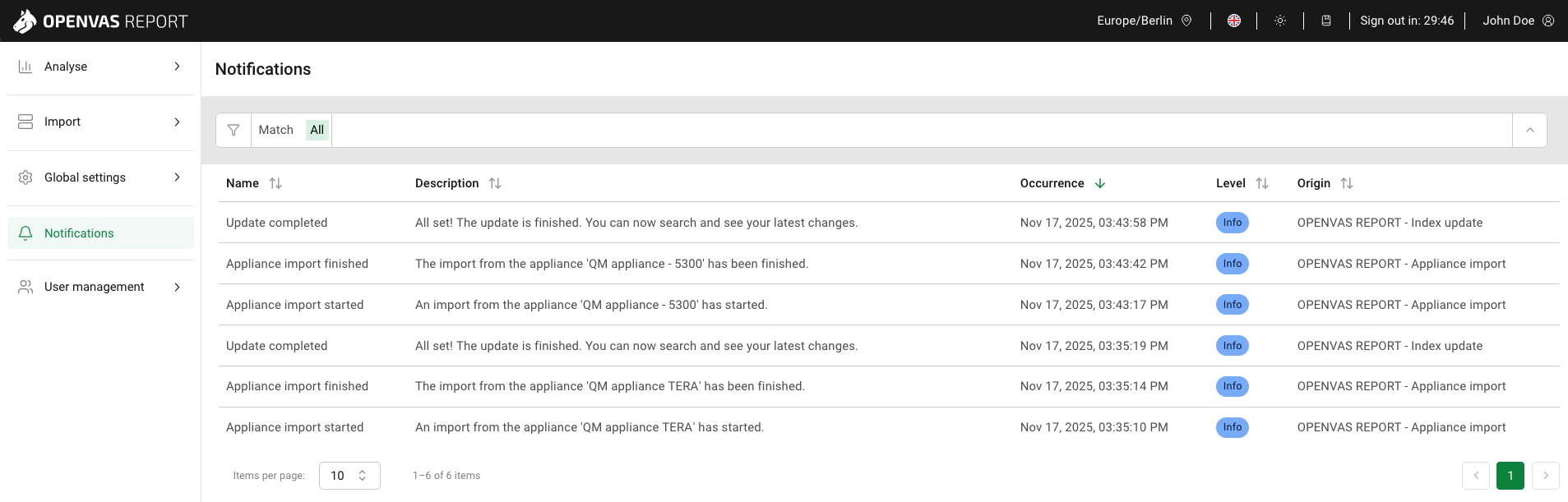
Fig. 7.1 Notifications page
For all notifications, the following information is displayed:
- Name
Type of the event that occurred.
- Description
Detailed description of the event.
Moving the cursor over the descriptions displays a tooltip containing the whole message.
- Occurrence
Date and time the event occurred.
- Level
 An action finished successfully, or a user interaction was carried out successfully.
Examples:
An action finished successfully, or a user interaction was carried out successfully.
Examples:An import from an appliance was started.
An import from an appliance was finished successfully.
 An action failed due to an incorrect configuration.
Examples:
An action failed due to an incorrect configuration.
Examples:An import from an appliance failed.
- Origin
Action and/or item to which the message refers, for example an import.
7.2 Filtering Notifications
The list of notifications can be filtered as described in Chapter 4.3.
Note
If a filter delivers no results, the table with the list of notifications shows No data available.